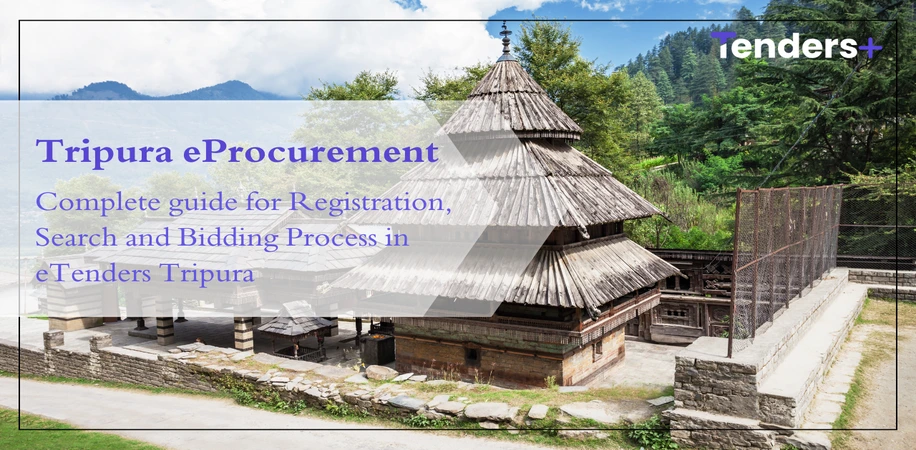
Tripura eProcurement - Complete guide for Registration, Search and Bidding Process in eTenders Tripura
Posted On : 30 January 2026Tripura eProcurement portal has made the tender bidding easy as the traditional method of the physical tendering process was time consuming. This online platform enables all government departments to publish Tripura govt tender online. This portal allows the vendors to search, bid, and track eTenders Tripura on a single interface. The portal ensures fairness, and easy access to tender information by eliminating manual interference.
Tripura Tenders provides various features for the MSMEs like Tender fee and EMD exemption. The platform is helping businesses to participate in Tripura’s development projects.The state government actively promotes investments in sectors such as infrastructure, power, water supply, healthcare, education, and urban development. Tripura offers opportunities for contractors, suppliers, and service providers from various multiple sectors.
Tripura Govt Tender - Tenders Count
The Tripura eProcurement in recent financial years shows the large scale and consistency. The total number of tenders published on the eProc Tripura from 2011 to till date is 67,714. The value of these tenders is 57,235 crores. There have been 1,65,911 bids for these tenders on the Tripura govt tender Portal.
Tripura tender in FY 2023-24 were 11,212 with an estimated value of ₹9,326 crore. These eTenders Tripura have received 28,943 bids. It reflects high competition and wide involvement of contractors. In FY 2024-25, the procurement activity remained high with 10,718 tenders valued at ₹10,988 crores. The vendors have submitted 27,506 bids on the eProc Tripura Portal.
The portal has released 9,157 tenders in FY 2025-26 till date. The value of these tenders is ₹7,128 crores and has received 19,897 bids. The increase in tender count and bid response shows the growing interest and active participation from the vendors.
Tripura eProcurement - Key Departments
The Tripura tender in eProc Portal covers the tenders across various departments. The key departments are:
- Tripura Rural Economic Growth and Service Delivery Project - TRESP Tenders
- Tripura Tribal Welfare Residential Educational Institutions Society - TTWREIS Tenders
- Agartala Smart City Limited - ASCL Tenders
- Tripura Jal Board - TJB Tenders
- Tripura Urban Planning and Development Authority - TUDA Tenders
- Tripura Forest Development and Plantation Corporation Limited - TFDPC Tenders
- Tripura Fisheries Development Board - TFDB Tenders
- Pradhan Mantri Gram Sadak Yojana - PMGSY Tenders
- ONGC Tripura Power Company - OTPC Tenders
- Tripura State Electricity Corporation Limited - TSECL Tenders
- Tripura Power Generation Limited - TPGL Tenders
- Tripura Renewable Energy Development Agency - TREDA Tenders
- Public Works Department - PWD Tripura Tenders
- Tripura Housing and Construction Board - THCB Tenders
- Tripura Rural Livelihood Mission - TRLM Tenders
- Tripura State Council for Science and Technology - TSCST Tenders
- Tripura State Pollution Control Board - TSPCB Tenders
- Tripura Tourism Development Corporation Limited - TTDCL Tenders
eTenders Tripura - Registration process
The vendors become eligible to participate in the Tripura eProcurement opportunities after completing the registration process. The registration process for the vendors are mentioned below:
- Access the eProc Tripura Portal - Visit the official website and open the Online Bidder Enrollment section to initiate the registration process.
- Create Login Credentials - Create a unique Login ID and password using registered details. These credentials cannot be modified and will be used for all tender-related activities.
- Enter Company Information - Enter company or licence holder name, registration number, registered address, and establishment year on the Tripura eProcurement Portal. The vendor must also mention the nature of business, legal status, bidder type, company category, PAN details, and partner or director information.
- Provide Contact Details - Provide the contact person’s name, date of birth, designation, mobile number, and email ID for the registration of eTenders Tripura.
- MSMEs Details - If registered as an MSME, enter details including organization type, bidder registration type, pre-registered authority, and Udyog Aadhaar number.
- Upload Documents - Upload required documents such as Partnership Deed, Memorandum and Articles of Association,GST Certificate, PAN Card, and Aadhaar ID.Vendors must also fulfill financial criteria by submitting ITRs, turnover certificate,and bank solvency certificate in the prescribed format.
- Review and Submit the Application - Review all entered details carefully and submit the application. Login credentials will be sent to the registered email ID.
- DSC Registration - Register the Digital Signature Certificate (DSC) at least 24 hours before bidding any Tripura government tender.Install DSC drivers, insert the token, and register a Class 3 Digital Signature Certificate. Enter the GSTN details as mentioned in the DSC.
Tripura tender in eProc Portal - Search and Bid Process
The tender search is a very crucial step before bidding, the vendor has to search the tenders that match their businesses. The vendor can search and bid the relevant tenders by following the below steps:
- Access the Dashboard - Login on the Tripura eProcurement Portal to view Active Tenders relevant to your business domain and area of expertise.
- Search Relevant Tripura Tenders - The vendors can use advanced filters such as Tender ID, tender reference number, product or work category.
- Save Preferred Tenders - The vendors can make the tenders as Favourite and save the Tripura tender in eProc Portal which helps the vendors to easily track tenders.
- My Tender - The Favourites tenders are automatically moved to the My Tenders section. In this section the vendors can access and bid the Tripura Govt Tender Opportunities smoothly.
- Review Tender Details - The vendors can get complete tender information, eligibility criteria, scope of work, timelines in My Tenders section. The vendors can download documents that are available on the tender details page.
- Start the Bidding Process - The vendors can initiate the Tender Bidding process after reviewing the information and Accept Terms and Conditions.
- Contact details - Verify the user and contact details submitted during the registration process of eTenders Tripura.
- Apply Tender Fee or EMD Exemption - The eligible vendor can apply for Tender fee and upload the required exemption certificates.
- Upload Mandatory Bid Documents - Upload the required documents as specified in the tender notice and submit the bid.
- Submit Bid - Submit the bid and Save the Acknowledgment for future reference.
TendersPlus provides customized filters and daily alerts on Tripura govt tender and opportunities from other states without missing any updates.
eTenders Tripura - Helpdesk
For any technical queries related to eTenders Tripura, contact the Help Desk. Bidders are requested to mention the portal URL and the Tender ID in the email for the respective Tender Inviting Authority.
- 0120-4001002, 0120-4001005, 0120- 4493395
- support-eproc@nic.in
- Contact NesL HelpDesk for eBG Queries at - 1800 599 2345
TendersPlus provides daily alerts, vendor registration assistance, and bid support. Our experts help with tender document preparation, ensuring compliance with Tripura eProcurement requirements. TendersPlus provide multi portal support like GeM Portal Tripura , IREPS, CPWD and many more. The vendor can register or contact us on whatsapp at +91 9279921887 or write their queries to contact@tendersplus.com.